

Reporting Issues or Bugs
Found a bug or issue on Oshi? Learn what to include in your report to help us fix it faster.
How to report technical problems so our team can investigate and fix them quickly.
Bug report template
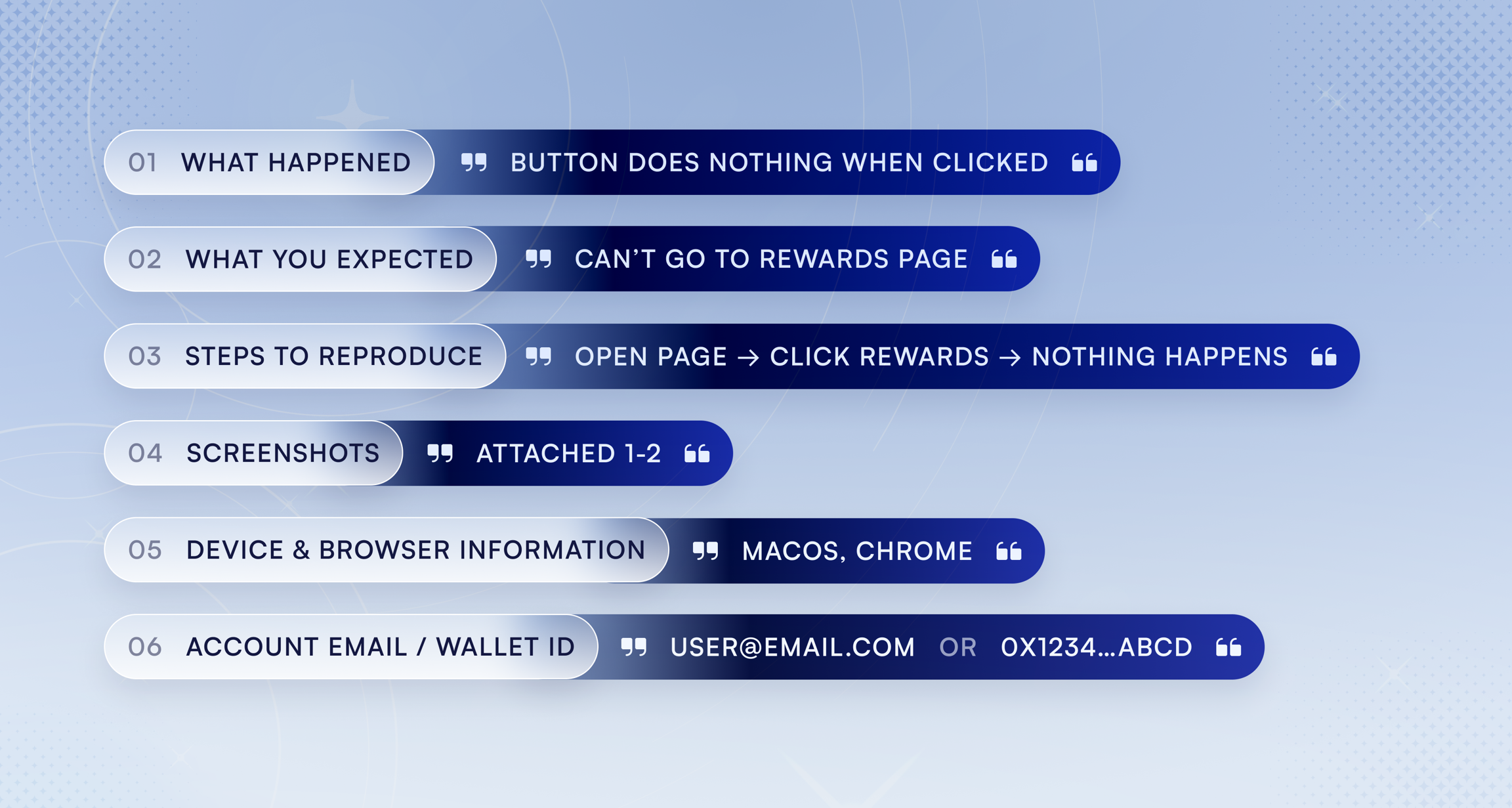
When reporting a bug, include as much of the following as you can. The more detail you provide, the faster we can identify and resolve the issue.
What happened: A clear description of the problem.
What you expected: What should have happened instead.
Steps to reproduce: The actions that led to the bug, in order. Even something like "I clicked the rank badge on my profile and the page went blank" helps.
Screenshots or screen recordings: Visual evidence is the single most helpful thing you can include.
Device and browser: For example, "Chrome on Windows 11" or "Safari on iPhone 15."
Your account email: So we can look into your specific account.
📝 Copy and paste this template when reporting a bug:
Where to report bugs
Email: [email protected] with "BUG:" in the subject line.
Discord: Post in the support channel. Moderators will route your report to the team.
Urgent issues
⚠️ For bugs affecting payment, reward access, or account security, include "URGENT:" in your email subject line.
We prioritize issues that impact core functionality.
What happens after you report
Our team reviews every report. Depending on the issue, we may reach out for additional details. Fix timelines depend on complexity and impact, but we'll keep you updated if we need anything from you.
Feature requests and discussions
Have an idea for how Oshi could be better? Want to discuss something with other fans?
Discord community: Join the conversation in our Discord server. Feature ideas, suggestions, and general discussion all have a home there. The team reads community feedback regularly, and some of the best improvements come directly from fan input.
Email: Send feature requests to [email protected] with "FEEDBACK:" in the subject line.
Bug reports are specifically for technical problems and errors. For everything else, Discord and email feedback are the best channels.
Related articles
Support Channels: All the ways to get help
Payments & Transactions: Payment troubleshooting
Managing Your Account: Account issues and access
Need help? [email protected] · Discord
役に立ちましたか?